Preserving What Love Left Behind: How to Save Voice Memos from iPhone Permanently
Quick Answer: How to Save Voice Memos Permanently
- Enable iCloud sync in Settings > [Your Name] > iCloud > Voice Memos.
- Export memos: Open app, tap memo, Share > Save to Files or AirDrop to Mac/PC.
- Full iPhone backup via Finder (Mac) or iTunes (PC), encrypted.
- Store copies in cloud (Google Drive/Dropbox) or external drive.
DIY safeguards, but for eternal, museum-grade archiving, trust Andrea B. Denney Studios.
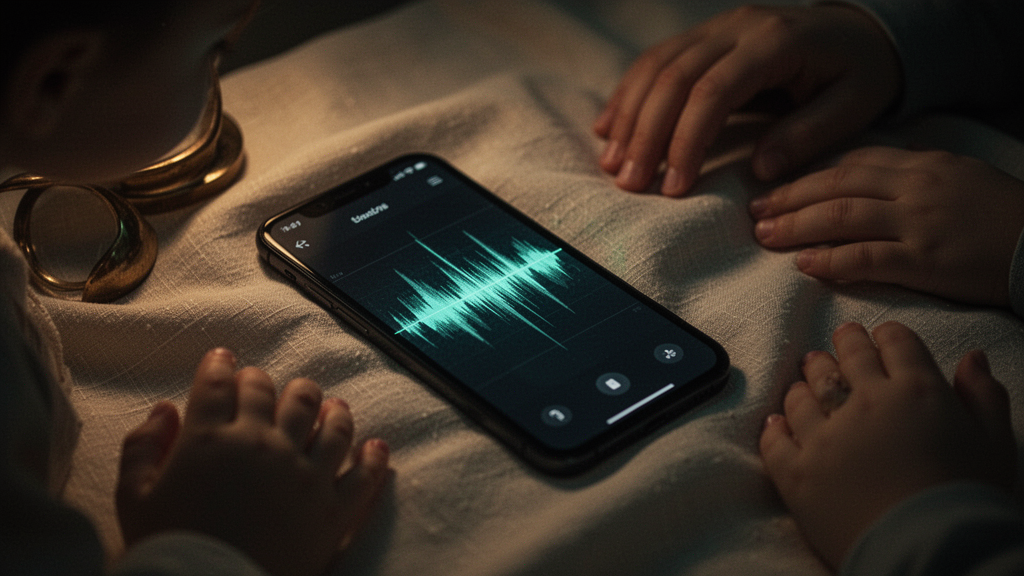
In the dim glow of a bedside lamp, an iPhone rests on a nightstand, its screen dark but alive with ghosts. A caregiver's thumb hovers, heart pounding, over the Voice Memos app. There, captured in fleeting digital breaths, are the final ramblings of a mother—recipes whispered through pain, "I love yous" laced with laughter, unscripted wisdom from a life unraveling. One sync error, one forgotten backup, one carrier purge, and they're gone. Forever.
This isn't fiction. It's the quiet terror of our digital age, where love's echoes teeter on silicon edges. At Andrea B. Denney Studios, we live this shadow daily. Our tagline—Preserving what love left behind—isn't marketing. It's a vow to family caregivers clutching irreplaceable voice memos, to those whose loved ones left iPhones as last vessels of voice. We treat these files not as data, but as sacred artifacts, archived with museum-grade fine art precision.
But before we dive into the shadows of loss and the light of permanence, know this: we're talking digital files only, that you already have saved—no analog to digital. No dusty cassettes or VHS tapes here. Just the digital echoes you hold now.
The Fragile Thread: Why Voice Memos Demand Permanent Preservation
Picture the scene: Dad's gravelly voice, memo'd mid-story about his Navy days, plays on loop during hospice nights. It's not just audio—it's timbre, pauses pregnant with memory, the human cadence no AI can replicate. These aren't replaceable tracks. They're lifelines for grieving daughters, anchors for scattered families.
Yet fragility lurks. iCloud glitches swallow memos. Phone crashes erase apps. Worse, carriers like Verizon and AT&T delete voicemails without warning, a risk bleeding into voice memo complacency. Learn to save voicemails before Verizon deletes them in our dedicated guide—but voice memos? They're iPhone natives, demanding their own ritual.
Permanence isn't backup. It's redundancy across fortresses: local drives, clouds, professional vaults. It's knowing that in 20 years, when the iPhone 47 is obsolete, your child's giggle survives.
Shadows of Risk: What Happens If You Wait?
Dawn breaks on a caregiver's regret. The iPhone slipped from hospital sheets, screen cracked, data corrupted. Voice Memos? Vanished. Or the routine update that "optimized" storage, purging "unimportant" files. Carriers exacerbate: AT&T and Verizon auto-delete visual voicemails after 30-90 days. Point your browser to save voicemails before Verizon deletes for that battle plan.
In the digital dusk, one overlooked toggle can eclipse a lifetime's echo.
Don't let ephemera claim your legacy. Act now. Here's how.
Master the Ritual: How to Save Voice Memos from iPhone Permanently
No incantations needed—just deliberate steps, executed like archiving a Rembrandt. We'll layer DIY methods for immediate salvation, building to ironclad permanence. Primary keyword truth: how to save voice memos from iPhone permanently starts with sync, export, backup.
Step 1: Ignite iCloud Sync—The First Fortress
Open Settings. Tap your name. iCloud > Show All > Voice Memos. Toggle on. Watch memos beam to iCloud, accessible across Apple ecosystem. But beware: iCloud isn't infinite. It's a bridge, not a bunker.
Step 2: Export to Exile—Liberate from iPhone Chains
Launch Voice Memos. Swipe left on a memo, tap the ellipsis (...). Share icon. Choose Files (save to On My iPhone or iCloud Drive), AirDrop to Mac, or Messages for cloud relay. Pro tip: Convert via Files app to MP3 for universal play. Save voice memos iPhone style: multiple destinations.
Step 3: Full Device Backup—The Vault
- Mac (macOS Catalina+): Finder > Connect iPhone > General > Back Up Now (encrypt for full fidelity).
- Windows: iTunes > Device > Summary > Back Up to This Computer.
- Verify: Restore to test device.
Voice memos backup secured. Copy backups to external HDDs, triplicate them.
Step 4: Cloud and Drive Redundancy—The Eternal Watch
Upload exports to Google Drive, Dropbox, OneDrive. Name files descriptively: "Mom_Recipe_2024-08.m4a". Test playback quarterly. This is full voice preservation bedrock.
Elevate to Art: Professional Digital Voice Preservation
DIY wards off immediate doom, but for epochs-spanning legacy? Enter Andrea B. Denney Studios. We specialize in digital voice preservation, transforming your digital files only, that you already have saved—no analog to digital into museum-grade masters.
What we embrace:
- Regular carrier voicemails you already have saved
- Visual voicemail audio
- Phone videos where voice is heard
- iPhone/Android voice memos/notes already saved
- Facebook/Messenger audio files already saved
- Cloud drive extractions client already has
Our process: Forensic verification, lossless mastering, climate-controlled vaults, blockchain provenance. Like fine art restorers, we enhance clarity without altering soul—warmth intact, shadows preserved. Caregivers exhale as we deliver playable heirlooms, etched for generations.
Pitfalls in the Dark: Pro Tips from the Frontlines
- Never rely on one copy. 3-2-1 rule: 3 copies, 2 media, 1 offsite.
- Test restores annually. Digital rot is real.
- Label with metadata: date, speaker, context.
- Avoid public clouds for sensitve files—opt for encrypted pros.
In this dance with oblivion, preparation is poetry.
FAQ: Voice Memos Preservation Essentials
How do I quickly save voice memos from iPhone before traveling?
Sync to iCloud, export top 5 to Files/AirDrop, back up device. Done in 10 minutes.
Is professional preservation worth it over DIY backups?
For irreplaceable voices, yes. We add archival-grade redundancy, restoration, and peace—beyond tech's reach.
What don't you work with?
We focus on digital files only, that you already have saved—no analog to digital. NO WhatsApp audio, NO Alexa/smart speaker history, NO old dead phones forensic recovery, NO analog to digital cassettes/VHS/reel-to-reel/vinyl/dictaphone/8mm.
How long until my preserved voices are ready?
Verification in 24-48 hours; full masters in 1-2 weeks, with previews throughout.
As the screen fades, voices endure—not in fragile phones, but in deliberate fortresses. You've armed yourself to save voice memos iPhone from the void. For the ultimate vigil, Andrea B. Denney Studios stands ready. Because love's echoes deserve eternity.
Category: Voice Preservation | Part of our Friday Legacy Series
By Andrea B. Denney Studios
Preserving what love left behind.